
Support
Visual guides. Quick fixes. See what to do.
Getting started
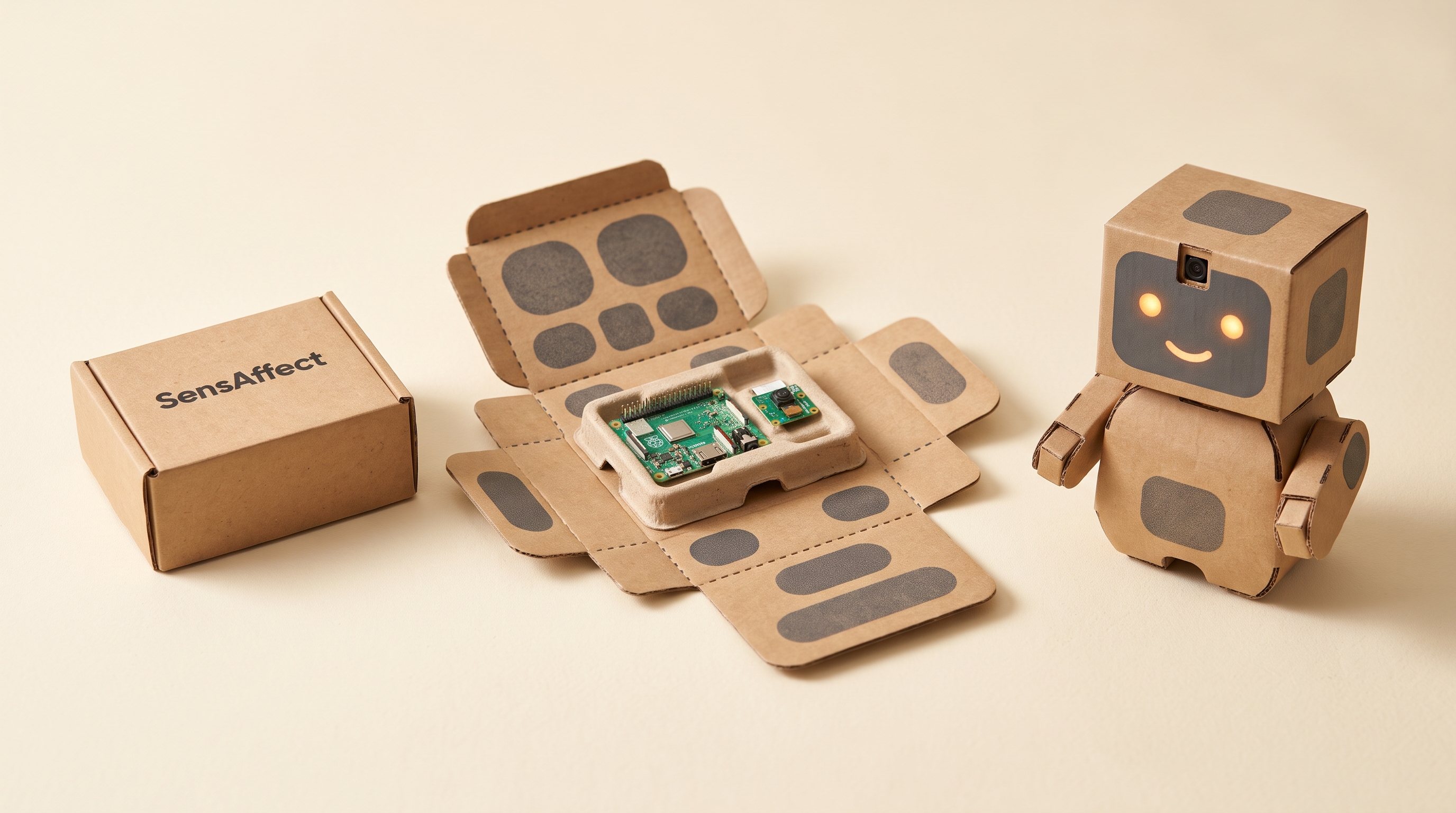
Unbox
Kraft box → pulp cradle → Pi 5 + Hailo-8 + camera.
LED lights amber
Power on
27W USB-C. Fan starts. Amber LED in 30 seconds.
$ ssh boxbot.local
password: █
Connect
SSH to boxbot.local. Password on quickstart card.
python3 touch_loop.py
stroke detected
hold detected
First run
Run touch_loop.py. See stroke, hold, tap events.
How it works
From sensing to action—six components that work together.
Touch Detection
Five or more conductive ink pads on an MPR121 sense when and where fingers make contact. SensAffect translates stroke, hold, tap, proximity, and pressure into valence scores.
Camera & AI Vision
Camera Module 3 captures frames, and Hailo-8 (26 TOPS) runs YOLO object detection and COCO recognition at real-time speeds without cloud latency.

Emotion Recognition
SensAffect analyzes touch patterns and facial expressions to infer emotional valence, building a real-time affective state model from multimodal inputs.

Episode Memory
MMRY stores episodes as a SQLite graph linking faces, touch events, and context. Each interaction becomes retrievable history BoxBot uses to recognize patterns over time.
Autonomous Navigation
BoxBot Complete uses dual 8×8 time-of-flight arrays, a BNO085 IMU, and RoverWheel tracks to navigate, avoid obstacles, and self-dock under 15% battery.
Self-Documentation
BoxBot records episodes with timestamps, frames, and sensor data. Students export the MMRY graph for analysis in NetworkX or Gephi as part of lab reports.
Common tasks
Conductive ink pad
Add touch zone
- 1Cut conductive ink pad
- 2Attach brass split-pin (wings flat)
- 3Connect to MPR121 channel
- 4
python3 calibrate_touch.py
17×7 LED matrix
Change LED color
Edit led_palette.json
{
  "idle": [255, 191, 0],
  "active": [255, 100, 0],
  "sleep": [50, 50, 50]
}
RGB values 0-255
Quick fixes
Four common faults. Clear them before opening a ticket.
LED face dark and the fan stopped.
Seat the 27W USB-C plug on a BoxBot Basic, or square the magnetic pogo dock under a BoxBot Complete.
The stack reports that no camera is detected.
Flip the camera ribbon so the blue tab faces the Ethernet and USB side.
A grey pad ignores a finger.
Splay the brass split-pin wings flat on the carbon pad and clip the MPR121 lead tight.
Solid red on the board, no green activity.
Reseat the microSD. On the robot, check the Hailo firmware with hailortcli fw-control identify.
Technical help
botbox@teknoledg.comInclude kit serial number. 24-hour weekday response.
Pre-orders & invoicing
botbox@teknoledg.comDepartment orders. Split payments. Bulk pricing.
Student projects
What university labs build with BoxBot.
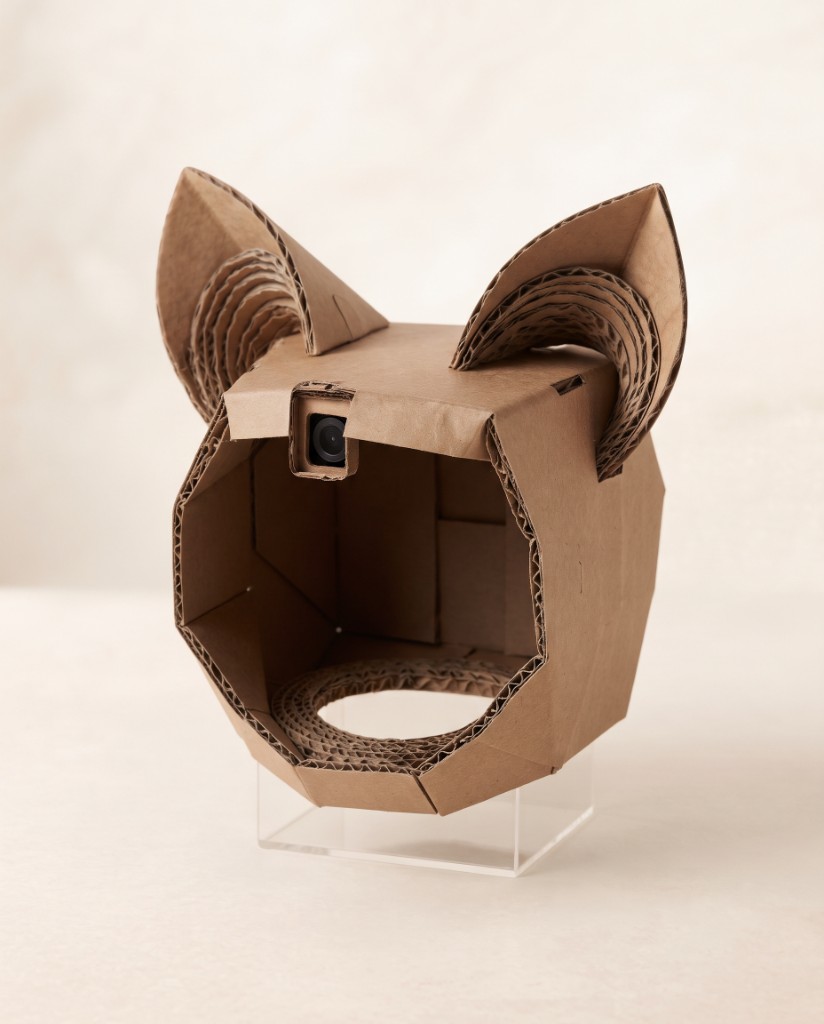

Origami acoustic ear hood
Priya S. · Imperial College
Parabolic kraft flaps that lengthen the 4-mic path and add MPR121 zones on an ear tug.
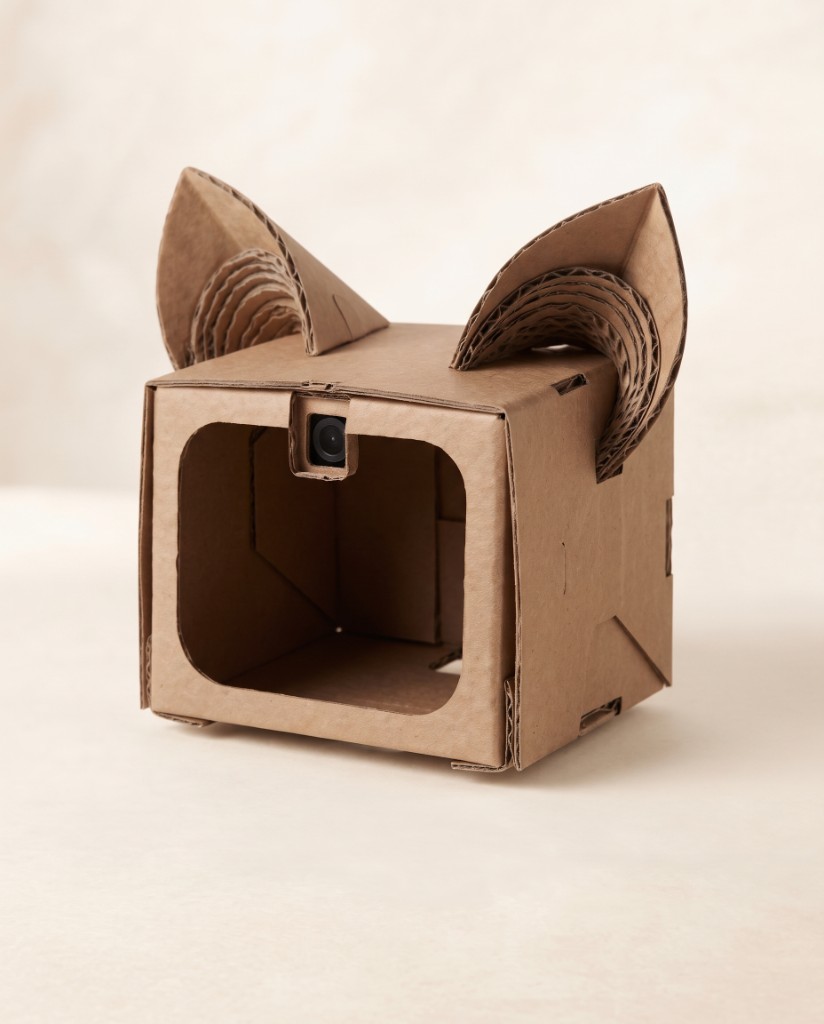
Fox-ear camera shell
Maya R. · University of Manchester
A kraft cube with folded ears and a forehead camera cutout. Swaps onto the head plate for a louder silhouette on the bench.
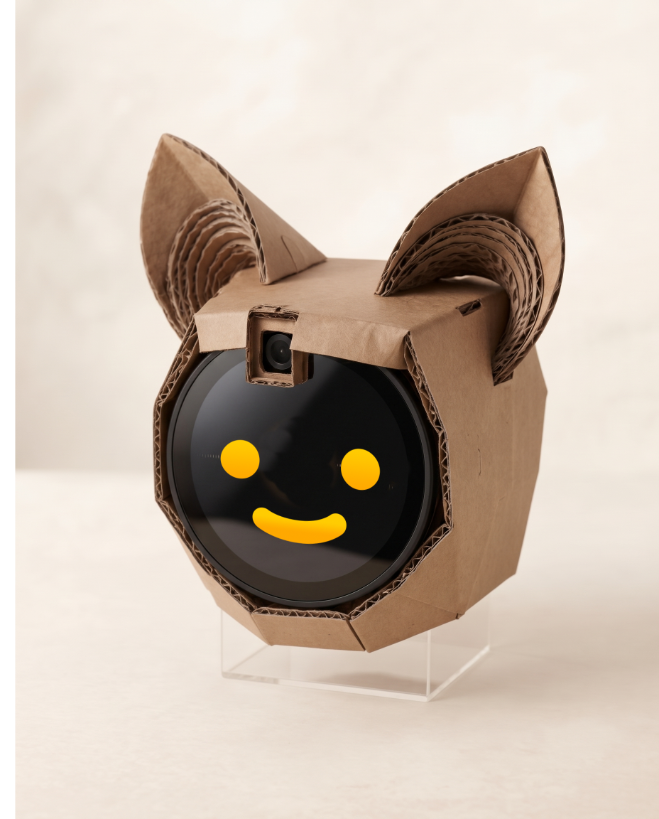
Circular touchscreen cat headbox
BoxBot studio · Manchester
A kraft cat-ear head around a round touchscreen face, with a forehead camera cutout. A display swap for HCI labs that want a smile you can tap.

$ boxbot pod install desk-patrol && python3 patrol.py --offlinebox-pod · install
Desk-edge patroller
Liam T. · University of Edinburgh
Uses the dual 8×8 cliff check and an MMRY waypoint graph to patrol a studio desk.
$ boxbot pod install study-coach && python3 coach.pybox-pod · install
Study break coach
Daniel O. · University of Bristol
Hailo-8 posture cues plus a palm hold on the force sensors, with the reminder tone stored in MMRY.
$ boxbot pod install seek-companion && python3 seek.py --quietbox-pod · install
Seek companion
Aisha K. · University of Leeds
When the room goes quiet, the priority loop leans toward a known face and a soft purr stored in MMRY.